PalletWorks-Icon_White

PalletWorks® Production Labeling Software

Improve Production Accuracy Through Integrated End-of-Line Labeling

 
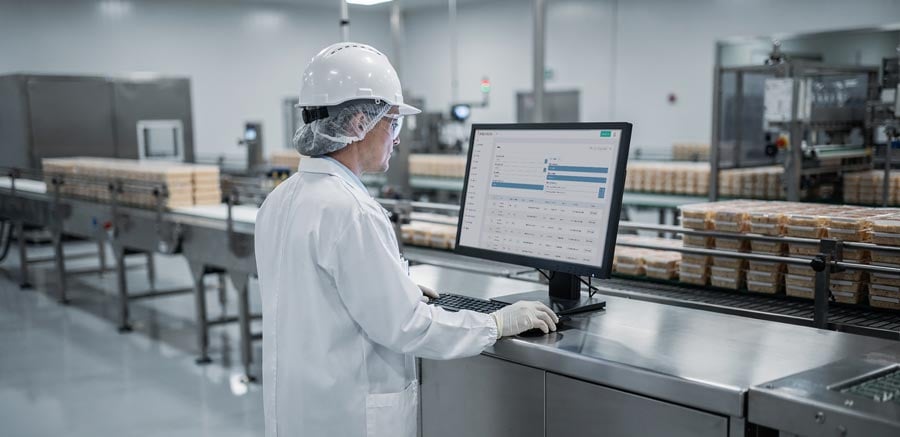
Packaging-Line-Operations-PalletWorks-Portal

PalletWorks® by Cybertrol Engineering is a configurable SaaS production tracking and labeling platform that connects packaging-line operations with ERP and other business systems.

The web-based platform tracks cases and pallets, coordinates label generation and verification, manages production exceptions, and gives authorized operators an opportunity to review production information before it is transferred to ERP.

This creates a controlled handoff between the production line and enterprise systems—helping manufacturers reduce end-of-line rework, improve inventory accuracy, strengthen traceability, and support more reliable order fulfillment.
Why End-of-Line Packaging Creates Operational Risk

The final stages of production require several systems and people to work together:

PLCs and packaging equipment identify what is being produced.
Printers and applicators create and apply labels.
Scanners confirm that labels are present and readable.
Operators manage orders, exceptions, corrections, and reprints.
ERP systems record finished production and inventory transactions.

When these activities are disconnected, small errors can move downstream quickly. A label may contain incorrect information. A case may be associated with the wrong production order. A pallet may be completed before an exception is discovered. Production data may reach ERP before an operator has an opportunity to review it.

The result may include mislabeled products, inventory discrepancies, incomplete pallet traceability, manual ERP corrections, product holds, shipping delays, and rework after production is complete.

The objective is not simply to print a label. It is to create a controlled production workflow in which labeling, verification, pallet tracking, operator review, and ERP transactions remain synchronized.

PalletWorks Logo

What Is PalletWorks?

PalletWorks is a configurable production tracking and labeling platform positioned between packaging-line operations and ERP.

It receives production events from control systems, coordinates labeling activities, builds case and pallet records, captures verification results, and presents production information through a web-based operator portal.

Authorized operators can review production records, resolve approved exceptions, and confirm that the information is ready for synchronization with ERP or another business system.

PalletWorks can:

  • Track cases and pallets throughout packaging
  • Generate and reprint case and pallet labels
  • Verify that labels are applied and machine-readable
  • Associate individual items with the correct pallet
  • Identify labeling and production exceptions as they occur
  • Support controlled operator review and corrections
  • Transfer validated production data to ERP
  • Integrate with established production systems and equipment

PalletWorks does not replace ERP. It provides an operational layer that helps ensure the information reaching ERP accurately reflects what occurred on the production line.
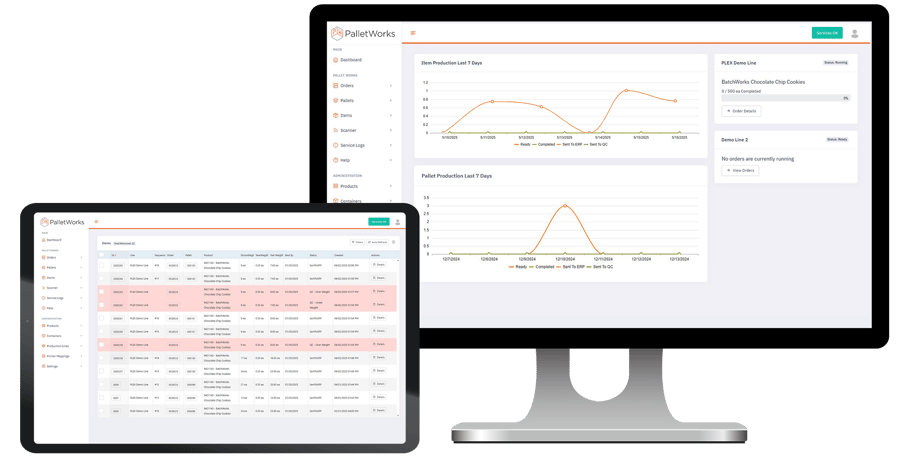
PalletWorks Interface Dashboard and Items with Trends

Where PalletWorks Fits in the Production Workflow

Packaging equipment and controls → PalletWorks → ERP and business systems

On the production side, PalletWorks can communicate with PLCs, packaging equipment, scales, printers, applicators, barcode scanners, and operator interfaces.

Within the platform, it manages active production orders, case and pallet records, labeling activities, verification results, operator actions, exceptions, and transaction readiness.

Once the production record has been reviewed and validated, PalletWorks transfers the approved information to ERP, MES, or another authorized business system.

This architecture creates an operational review point between physical production and enterprise records rather than allowing incomplete or inaccurate information to move directly from the line into ERP.


How PalletWorks Works

This closed-loop workflow helps manufacturers identify and resolve issues while production is still active rather than after inventory transactions have been completed.


Activate the Production Order

A production order is activated through control-system integration or authorized operator entry. The active order establishes the production context used for tracking, labeling, and downstream transactions.

Capture Production Events

As products are created, PalletWorks receives events from the production control system and associates them with the active order. This creates a digital production record aligned with activity on the line.

Generate & Verify Case Labels

PalletWorks coordinates case-label printing using the configured product, order, and business-system information.

Industrial scanners verify that labels are present and machine-readable. Missing or failed scans can be identified during production rather than after the product has moved farther downstream.

Core PalletWorks Capabilities

Track and Trace Icon Blue

Production Tracking & Traceability

PalletWorks records case- and pallet-level activity throughout end-of-line packaging. It associates production events with active orders and maintains relationships between individual items and completed pallets.

This creates a more complete production record for inventory, traceability, fulfillment, and exception investigation.

Integrated Production Label Printer Icon Blue

Integrated Production Labeling

Labeling is coordinated as part of the production workflow rather than managed as an isolated printing task.

PalletWorks can generate case and pallet labels based on the active order, product information, production events, and configured business rules. Controlled reprinting helps maintain alignment between the physical label and the production record.

Barcode Scanner Handheld Icon Blue

Label Verification

Scanner integration verifies that labels are present and machine-readable.

When a label is missing or unreadable, the exception can be identified closer to the point of occurrence, before the product is shipped, placed into inventory, or included in a completed ERP transaction.

Packaging Operator Icon Blue 2

Operator Review & Exception Handling

The PalletWorks portal gives operators and supervisors a structured point for reviewing production records before ERP synchronization.

Permissions, editable fields, approval rules, reprint controls, and exception workflows are defined during implementation so users can take appropriate action without introducing uncontrolled changes.

Packging Line Interface Icon Blue

ERP & Production-System Integration

PalletWorks connects systems that often operate independently, including PLCs, packaging equipment, labeling hardware, scanners, operator interfaces, ERP systems, MES platforms, and approved REST API endpoints.

The integration approach is defined around the facility’s architecture, data ownership, transaction timing, and recovery requirements.

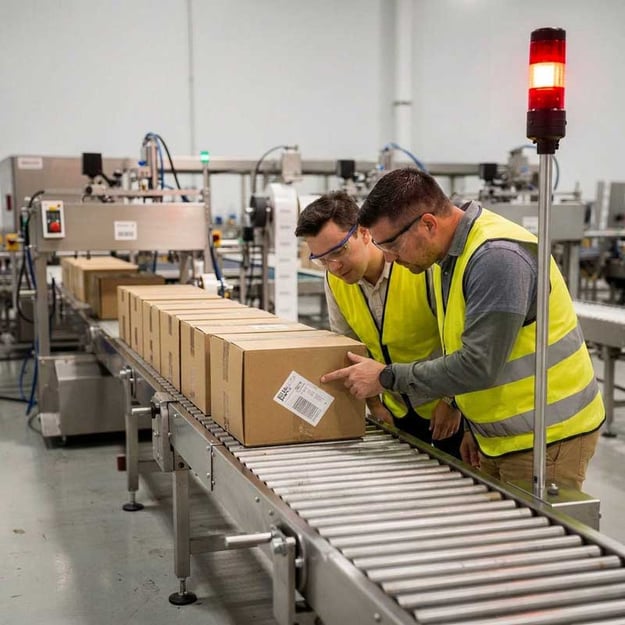
Mislabeled-Packages-End-of-Line-Web

Why Validate Production Data Before ERP?

ERP systems depend on accurate production transactions. Once incorrect information has been posted, resolving the issue may require coordination among operations, inventory control, quality, shipping, engineering, and IT.

PalletWorks introduces a review and validation point before the transaction is finalized.

This can help manufacturers:

  • Catch labeling and production exceptions while the product is still on the line

  • Reduce corrective ERP transactions

  • Improve alignment between physical production and inventory records

  • Maintain more accurate case-to-pallet relationships

  • Give operators a controlled way to resolve approved exceptions

  • Reduce downstream rework caused by incomplete or incorrect information

The practical advantage is timing: issues can be addressed closer to where they occur.
Configurable for the Facility.
Not Custom-Built from Scratch.

Manufacturing sites may use different terminology, equipment, ERP transaction rules, operator responsibilities, and exception-handling procedures. PalletWorks is a standardized software platform configured around those operational requirements.

This approach provides greater consistency and maintainability than a one-off custom application while allowing the system to fit the facility’s actual production workflow.

For manufacturers with multiple sites, PalletWorks can also provide a common platform foundation while preserving necessary facility-level configuration.

Configuration may include:

Operator terminology and screen content

Role-based data visibility

Production and labeling workflows

Order activation methods

Review and approval steps

ERP synchronization triggers

Site-specific operating rules

Designed for Existing Manufacturing Environments

Most production-labeling projects are implemented on active production lines where existing PLC logic, printers, scanners, ERP interfaces, and operator workflows are already in place. Successful deployments must account for these existing systems while minimizing disruption to production.

PalletWorks is designed to integrate with established manufacturing environments rather than requiring wholesale replacement of existing packaging assets. During implementation, Cybertrol evaluates the production workflow, automation systems, labeling hardware, ERP integration, operator processes, and OT infrastructure to ensure the solution aligns with your existing operation.

This approach helps reduce implementation risk while creating a system that is easier to operate, troubleshoot, and maintain.

Reducing Implementation Risk

Production labeling software affects live packaging operations. Successful implementation requires more than installing an application and connecting a printer.

Cybertrol applies its seven-step Proven Process to PalletWorks projects. This structured delivery framework helps align the software, control system, industrial devices, operator workflow, OT infrastructure, and ERP interface before startup.

1

Discuss

Cybertrol works with operations, engineering, IT/OT, and business-system stakeholders to understand the current packaging workflow, labeling and traceability requirements, existing system constraints, known production exceptions, and available startup windows.

2

Define

Functional requirements establish the system boundaries, data ownership, production events, operator roles, exception-handling requirements, integration responsibilities, and acceptance criteria.

3

Design

Cybertrol designs the integrated system around the approved requirements. This may include control-system interfaces, device communication, network architecture, operator screens, labeling sequences, ERP transaction logic, security requirements, and recovery behavior.

4

Develop

PalletWorks is configured and the required production, device, and business-system interfaces are developed. Cybertrol’s Automation, Digital Manufacturing, Information Systems, and OT Systems engineers coordinate the software, controls, infrastructure, and hardware as one production system.

5

Demonstrate

The complete workflow is tested before production deployment. Testing covers normal operation and defined exception conditions, including order activation, label printing, scanner verification, pallet completion, reprints, operator corrections, communication interruptions, and ERP transaction handling.

6
Deploy

Startup is coordinated around plant production requirements. Where appropriate, offline testing, simulation, staged integration, and phased deployment are used to reduce disruption and startup risk.

7
Deliver

The system is turned over with the training, documentation, support arrangements, and lifecycle responsibilities needed for continued operation.

Why Cybertrol Engineering

Production labeling projects span multiple technical disciplines. Software is only one part of the solution. Successful implementations also depend on automation systems, packaging equipment, industrial devices, OT infrastructure, ERP integration, and long-term operational support.

PalletWorks is backed by Cybertrol Engineering's multidisciplinary team, bringing together the expertise required to design, integrate, deploy, and support production-critical end-of-line systems.

Integrated Engineering Expertise

PalletWorks implementations can draw on expertise in:

  • Automation Engineering

  • Digital Manufacturing

  • Information Systems

  • OT Systems and Industrial Cybersecurity

  • Hardware and device integration

  • ERP and production-system integration

  • Project management and lifecycle support

This multidisciplinary approach reduces handoffs between separate software, controls, infrastructure, and service providers.

Implementation decisions are evaluated against real operating conditions, including:

  • What happens when a scanner or printer fails?

  • How is an interrupted ERP transaction recovered?

  • How are reprints controlled?

  • Can the workflow be tested before startup?

  • How will support personnel diagnose an issue?

  • How will future changes be documented and maintained?

These are important considerations for any production-critical end-of-line system.

OT Systems & Cybersecurity

Industrial infrastructure, networking, virtualization, and cybersecurity.

Digital Manufacturing

MES, reporting, traceability, dashboards, and production information systems.

24/7 Service & Support

Dedicated engineering support, troubleshooting, and lifecycle services.

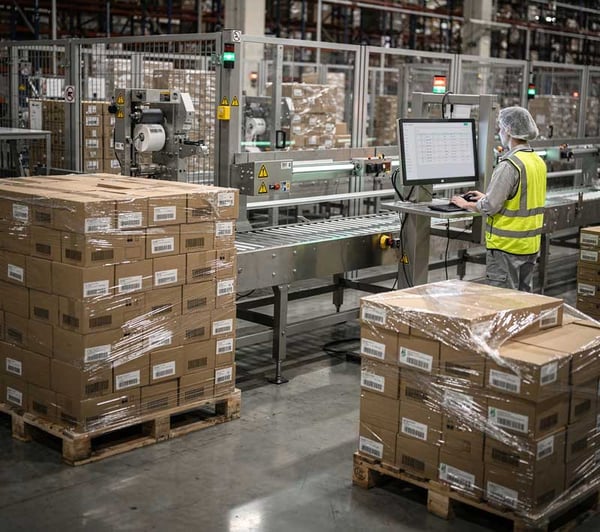
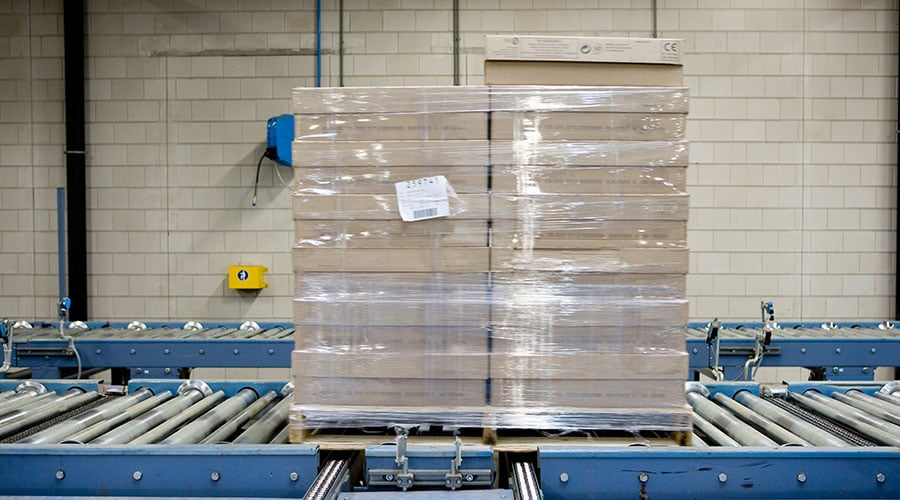
PalletWorks-Wrapped-Pallet-with-Label

Supporting PalletWorks After Startup

Products, labels, packaging formats, ERP systems, equipment, networks, and operating procedures continue to change after commissioning.

Cybertrol can support the PalletWorks lifecycle through:

  • Remote diagnostics and technical troubleshooting

  • Application and controls support

  • OT Systems support

  • Production-workflow updates

  • Integration modifications

  • System enhancements

  • 24/7/365 engineering support

The objective is not only to deploy PalletWorks, but to help maintain reliable operation as the manufacturing environment changes.

PalletWorks FAQs

What is production labeling software?

Production labeling software coordinates the creation, application, verification, and recording of labels within a manufacturing workflow. Unlike standalone label-design software, it can connect labeling activity with production orders, control systems, pallet records, operator actions, and ERP transactions.

What does PalletWorks do?

PalletWorks tracks cases and pallets, coordinates label generation, verifies label readability, manages production exceptions, supports authorized operator review, and transfers validated production information to ERP or other business systems.

Where does PalletWorks fit between the production line and ERP?

PalletWorks operates as an operational layer between packaging-line systems and ERP. It receives production events from controls, manages labeling and pallet records, and gives operators an opportunity to review information before validated data is synchronized with ERP.

Does PalletWorks replace ERP?

No. PalletWorks helps ensure that production and labeling information is accurate before transactions are finalized in ERP.

Does PalletWorks replace MES?

PalletWorks is focused on end-of-line production tracking, labeling, verification, pallet association, exception handling, and ERP synchronization. Whether it operates alongside an MES depends on the facility’s system architecture and functional requirements.

Can PalletWorks integrate with existing equipment?

PalletWorks is designed to integrate with established production control systems, printers, applicators, scanners, and packaging equipment. Compatibility and interface requirements are evaluated during the definition and design process.

How does PalletWorks help reduce labeling errors?

PalletWorks coordinates labeling with the active production order and uses scanner feedback to identify missing or unreadable labels. Authorized operators can review exceptions and correct approved information before production data is transferred to ERP.

Is PalletWorks custom software?

No. PalletWorks is a configurable SaaS platform rather than a custom application built from the ground up for each facility. It is configured to align with approved workflows, terminology, user roles, devices, and ERP integration requirements.

Can PalletWorks support multiple facilities?

PalletWorks can provide a common platform for manufacturers seeking greater consistency across facilities. Each deployment still requires evaluation of site-specific controls, equipment, workflows, infrastructure, and ERP requirements.

How can PalletWorks be deployed with minimal production disruption?

Deployment may include early requirements definition, offline development, workflow simulation, device testing, staged integration, and coordinated startup activities. The appropriate strategy depends on the existing environment and available production windows.

What is production labeling software?

What is production labeling software?

Production labeling software coordinates the creation, application, verification, and recording of labels within a manufacturing workflow. Unlike standalone label-design software, it can connect labeling activity with production orders, control systems, pallet records, operator actions, and ERP transactions.

What does PalletWorks do?

What does PalletWorks do?

PalletWorks tracks cases and pallets, coordinates label generation, verifies label readability, manages production exceptions, supports authorized operator review, and transfers validated production information to ERP or other business systems.

Where does PalletWorks fit between the production line and ERP?

Where does PalletWorks fit between the production line and ERP?

PalletWorks operates as an operational layer between packaging-line systems and ERP. It receives production events from controls, manages labeling and pallet records, and gives operators an opportunity to review information before validated data is synchronized with ERP.

Does PalletWorks replace ERP?

Does PalletWorks replace ERP?

No. PalletWorks helps ensure that production and labeling information is accurate before transactions are finalized in ERP.

Does PalletWorks replace MES?

Does PalletWorks replace MES?

PalletWorks is focused on end-of-line production tracking, labeling, verification, pallet association, exception handling, and ERP synchronization. Whether it operates alongside an MES depends on the facility’s system architecture and functional requirements.

Can PalletWorks integrate with existing equipment?

Can PalletWorks integrate with existing equipment?

PalletWorks is designed to integrate with established production control systems, printers, applicators, scanners, and packaging equipment. Compatibility and interface requirements are evaluated during the definition and design process.

How does PalletWorks help reduce labeling errors?

How does PalletWorks help reduce labeling errors?

PalletWorks coordinates labeling with the active production order and uses scanner feedback to identify missing or unreadable labels. Authorized operators can review exceptions and correct approved information before production data is transferred to ERP.

Is PalletWorks custom software?

Is PalletWorks custom software?

No. PalletWorks is a configurable SaaS platform rather than a custom application built from the ground up for each facility. It is configured to align with approved workflows, terminology, user roles, devices, and ERP integration requirements.

Can PalletWorks support multiple facilities?

Can PalletWorks support multiple facilities?

PalletWorks can provide a common platform for manufacturers seeking greater consistency across facilities. Each deployment still requires evaluation of site-specific controls, equipment, workflows, infrastructure, and ERP requirements.

How can PalletWorks be deployed with minimal production disruption?

How can PalletWorks be deployed with minimal production disruption?

Deployment may include early requirements definition, offline development, workflow simulation, device testing, staged integration, and coordinated startup activities. The appropriate strategy depends on the existing environment and available production windows.

Improve End-of-Line Accuracy with PalletWorks

PalletWorks connects production tracking, labeling, verification, pallet records, operator review, and ERP integration within one controlled workflow.

Whether you are modernizing an existing packaging line or establishing a consistent labeling platform across facilities, the first step is understanding how products, production events, labels, exceptions, and ERP transactions move through the current operation.

Talk with a Cybertrol engineer about:

  • Your current end-of-line workflow

  • Labeling and traceability challenges

  • PLC and packaging-equipment integration

  • ERP transaction requirements

  • Operator review and exception handling

  • Brownfield modernization

  • Long-term service and support

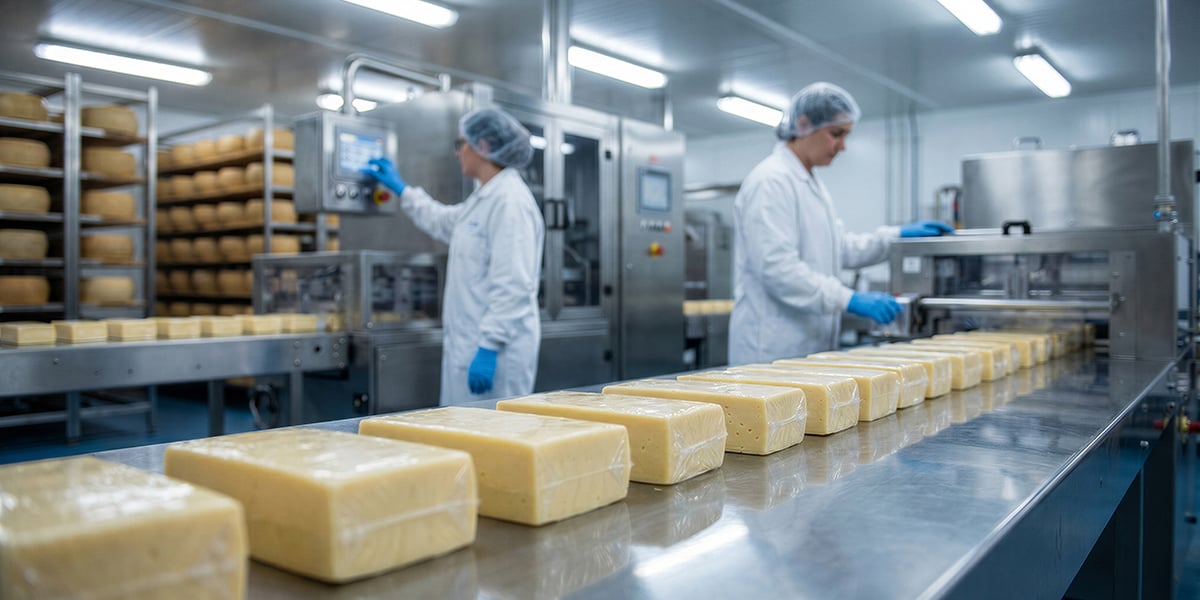
PalletWorks-End-of-Line-Operations-Web
image of a white quotation mark

"Using PalletWorks empowers our factory floor associates to see the data and correct labeling mistakes before they are transferred to the ERP system, often avoiding loss of product. PalletWorks is a unique and creative integrated database solution, a middleware space between ERP and PLC, a ‘packaging MES.’ We are now implementing PalletWorks into a third facility since the project has been so successful. Bringing in PalletWorks helped clean up a big mess: it paid dividends to the organization and it made our packaging people very happy because it worked.”

Senior Principal Engineer | Large Wisconsin Cheese Manufacturer

PalletWorks on the Production Line

PalletWorks on the Production Line

blue-triangle-one

Order is active on production line

orange-triangle-one

Set active order in PW portal (PLC integration/manual entry)

blue-triangle-two

Item is created (i.e. Scale)

orange-triangle-two

PW receives signal from PLC that an item is created

blue-triangle-three

Printer/applicator applies item label

orange-triangle-three

PW sends request to print item label

blue-triangle-four

Industrial scanner scans item label

orange-triangle-four

PW waits for item label to be scanned to identify any errors

blue-triangle-five

Pallet is stacked and shrink-wrapped

orange-triangle-five

PW creates a digital STACK of the pallet

blue-triangle-six

Printer/applicator applies pallet label

orange-triangle-six

PW sends request to print pallet label

blue-triangle-seven

Industrial scanner scans pallet label

orange-triangle-seven

PW waits for pallet label to be scanned to identify any errors
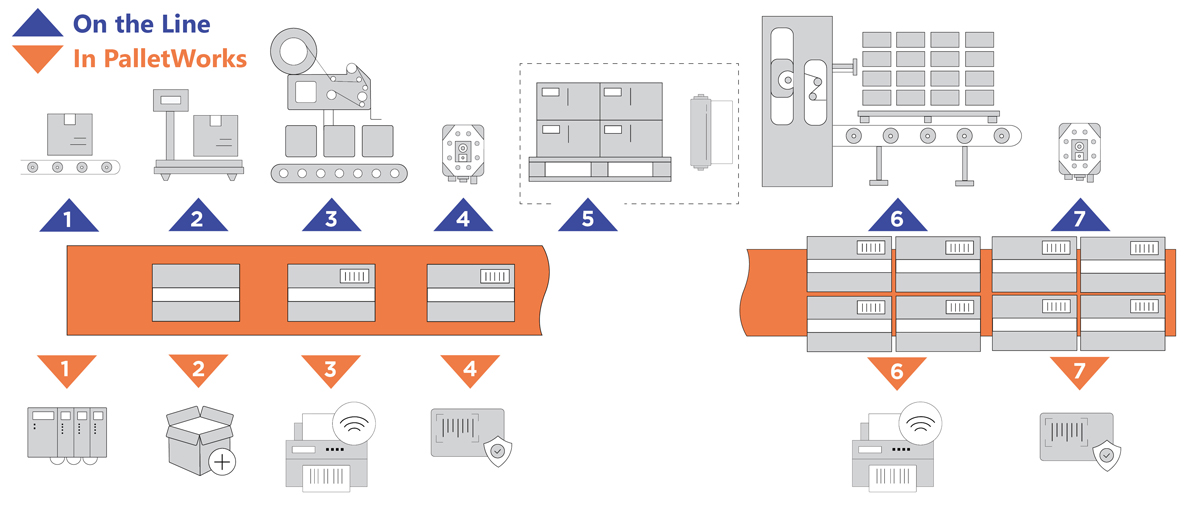
PalletWorks on the Production Line

Lorem ipsum dolor sit amet consectetur. Eget platea integer nisl integer leo varius quis. Ac nunc proin nunc quam eros mauris ut. Velit eu at lacus aliquam porttitor.

Blue triangle with the number 1 in the middle

What's happening on the production line?

Order is active on production line

orange triangle pointing down with the number 1 in the middle

What's happening in PalletWorks (PW)?

Set active order in PW portal (PLC integration/manual entry)

Blue triangle with the number 2 in the middle

What's happening on the production line?

Item is created (i.e. Scale)

orange triangle with the number 2 in the middle

What's happening in PalletWorks (PW)?

PW receives signal from PLC that an item is created

Blue triangle with the number 3 in the middle

What's happening on the production line?

Printer/applicator applies item label

orange triangle with the number 3 in the middle

What's happening in PalletWorks (PW)?

PW sends request to print item label

Blue triangle with the number 4 in the middle

What's happening on the production line?

Industrial scanner scans item label

orange triangle with the number 4 in the middle

What's happening in PalletWorks (PW)?

PW waits for item label to be scanned to identify any errors
Blue triangle with the number 5 in the middle

What's happening on the production line?

Pallet is stacked and shrink-wrapped

orange triangle with the number 5 in the middle

What's happening in PalletWorks (PW)?

PW creates a digital STACK of the pallet

Blue triangle with the number 6 in the middle

What's happening on the production line?

Printer/applicator applies pallet label

orange triangle with the number 6 in the middle

What's happening in PalletWorks (PW)?

PW sends request to print pallet label

Blue triangle with the number 7 in the middle

What's happening on the production line?

Industrial scanner scans pallet label

orange triangle with the number 7 in the middle

What's happening in PalletWorks (PW)?

PW waits for pallet label to be scanned to identify any errors
Cybertrol Engineering PalletWorks How Does it Work Illustration

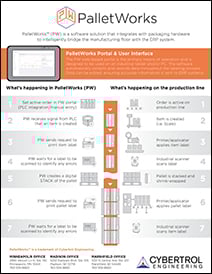
PalletWorks Illustration Flyer

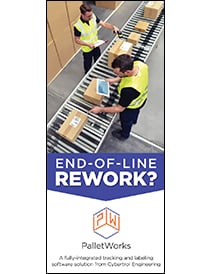
PalletWorks Brochure

Success Stories

PalletWorks Quote Request